Published: 02/18/2026By: Megan Francis

WhatsApp has become the go-to messaging app for billions of users worldwide. Scammers know it and are exploiting this dependency to the fullest. In 2025, 90% of all phishing attacks sent through messaging apps were delivered via WhatsApp, making it the dominant channel for message-based scams globally.
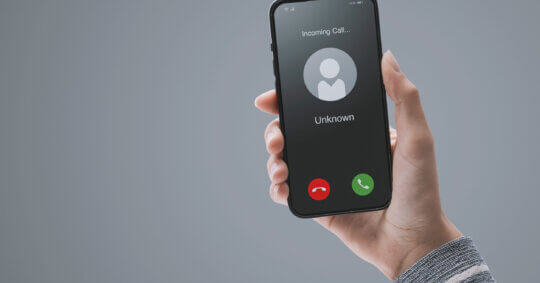
The format is usually simple. You get a message from an unknown number. Sometimes it starts with “Hi Mum” or “Is this [your name]?” Other times, it jumps straight into fake job offers, fake giveaways, or pressure tactics demanding money. The common thread is that the sender is someone you don’t know, and they’re counting on you not checking who they are.
With WhatsApp’s limited user information, often just a phone number and a profile picture, identifying the person behind a message becomes challenging. This is where WhatsApp phone number lookup comes to your rescue. It uses records and information from several databases to help determine if the person texting you on WhatsApp is genuine or a scammer.
In an era of increasing digital scams, verifying who’s reaching out can protect you from potential fraud. This guide will show you how to investigate the sender behind a random WhatsApp message, what tools and techniques to use, the role of reverse phone number lookup tools, and how to decide if a response is even worth the risk.
What You Can (and Can’t) See In WhatsApp
When someone messages you on WhatsApp for the first time, the app gives you only the bare minimum. And in many cases, even those fields are locked down or faked. Here’s what WhatsApp generally shows you:
- Phone number (always visible).
- Profile picture (only if not restricted).
- About/status message (if shared publicly).
- Last seen/online status (if not hidden).
- Mutual groups (if you share any).
- Media history (if they’ve sent something).
Scammers know how to work within these limits. Some will use a blurry stock image or a stolen photo as their profile picture. Others may include a vague or friendly status message to appear harmless. And if their settings are locked down, you may see nothing but a country code and a string of digits.
Most importantly, you won’t see their real name unless they’ve saved it on their profile or you already have them in your contacts. That’s a severe limitation if you’re trying to verify who’s messaging you. In situations like this, your best bet is to rely on an external tool to find a name from a phone number and get context before deciding whether to respond.
Scenarios Where Looking up a WhatsApp Phone Number Helps
Not every unknown WhatsApp message is a scam, but, unfortunately, most are. Sometimes, even when not malicious, it’s still worth knowing who’s trying to reach you. A quick WhatsApp phone number lookup can help you avoid scams, catch impersonators, or simply confirm whether someone’s legit before you respond.
- Suspicious Job Offers or “Business Opportunities”: Scammers often pose as recruiters or HR reps offering high-paying remote jobs or affiliate roles. These messages usually include vague company names, unrealistic salaries, and pressure to respond quickly.
- Requests for Money or Urgent Help: Someone pretends to be your child or relative using a new number, claims they’re in trouble, and urgently asks for money. Before responding, always verify who’s messaging you. A number lookup might be your first clue that it’s a scam.
- Impersonation of Government Agencies or Banks: If someone messages you pretending to be from a bank, tax authority, or law enforcement agency, check the number. Legitimate institutions don’t contact people on WhatsApp using personal numbers.
- Unknown International Numbers: If you receive a message from a country code you don’t recognize, it’s smart to pause before responding. Scammers often spoof international numbers to bypass local spam filters. A lookup may show whether the number is linked to a legitimate overseas contact or something sketchy.
In any of these situations, verifying the number is the fastest way to reduce uncertainty. It allows you to make a decision based on facts, not guesswork.
Try These Before Using a WhatsApp Phone Number Lookup Tool
Before jumping to external tools, it’s worth doing a little digging within WhatsApp itself. While the app doesn’t give you a complete identity profile, there are a few ways to gather small clues that can help you figure out if the number is legitimate or potentially a scammer.
If you decide to engage just to confirm your suspicion, tread carefully. Here’s an in-depth guide on what to say to a scammer to scare them and how to shut the conversation down without giving them anything useful.
That said, you can try one or more of these techniques:
1. Save the Number to See More Info
If you receive a message from someone you don’t recognize, save it to your contacts. Once saved, WhatsApp may show additional details, like a display name if the sender has one set. While scammers can fake names, it’s still a helpful signal.
2. Use the WhatsApp Web Link Trick
Enter https://wa.me/<number> in any browser (replacing <number> with the full international format). If the number is registered on WhatsApp, a chat window will open. If not, you’ll get a message saying the number isn’t on WhatsApp. It’s a quick way to check whether a number is active without saving it.
3. Drop the Number in a Chat
Send the number to yourself or another chat. WhatsApp will automatically detect if it’s a valid WhatsApp contact. If it is, you’ll see options to message or call directly. If not, the number will just appear as plain text.
4. Review Profile Details
Open the contact profile and look for:
- Profile picture: Stock photos, blank avatars, or blurry images are common red flags.
- Status/About section: If it says nothing or uses something vague like “Busy” or “Available,” treat it cautiously.
- Last seen/online status: If hidden, it might be a privacy setting, or the user doesn’t want to be traced.
1. Check for Mutual Groups
If you share any WhatsApp groups with the unknown number in question, scroll to the bottom of the contact info screen. If you have overlap, check how they entered the group or who added them.
2. Watch Their Behavior
Scammers often use scripts, generic replies, or long response delays. They may also immediately push for information, links, or money. If the conversation feels forced or suspicious, trust your instinct.
These steps don’t guarantee an answer, but they can help you decide if a deeper search is necessary. If things still feel off, that’s your cue to move on to a proper WhatsApp phone number lookup tool.
Third-Party and External Tools for Looking up a WhatsApp Phone Number
If the in-app methods don’t give you enough information, it’s time to turn to third-party tools. These platforms can help you investigate a WhatsApp number more thoroughly, especially when privacy settings are locked down or the sender is trying to hide their identity.
Here’s what’s available beyond WhatsApp:
Reverse Phone Lookup Services
Reverse lookup tools allow you to enter a phone number and see if it’s connected to any known name, location, or fraud reports. They don’t access WhatsApp data directly, but they can give you context about who the number might belong to and whether it’s been flagged elsewhere.
Services like USPeopleSearch check public records and third-party databases to help determine if a number is tied to a real identity. This is especially helpful when scammers use real-looking numbers to impersonate someone else.
AI-Powered Scam Detection Bots
Some tools allow users to forward WhatsApp messages or screenshots to AI bots for real-time analysis. These bots evaluate message content, check for known scam patterns, and even help users report suspicious behavior.
For instance, apps like ScamShield can:
- Flag scammy language and urgent payment requests.
- Detect links or attachments known to be malicious.
- Offer guidance on how to handle or report the message.
Business and OSINT Tools for Verification
Some tools generally designed for bulk contact management can verify whether a number is active on WhatsApp. These include browser extensions, business CRMs, and WhatsApp verification checkers.
While many are built for commercial use, individual users can sometimes leverage them to confirm:
- Whether a number is WhatsApp-registered.
- Whether it’s associated with a WhatsApp Business account.
- Profile elements like display name or business category.
Disclaimer: These tools can help, but they aren’t always accurate. Scammers often rotate numbers, spoof caller IDs, and rely on burner phones that aren’t connected to searchable data. That’s why the best approach is to combine third-party tools with your judgment and the in-app clues we covered earlier.
WhatsApp Phone Number Lookup Can Save You From a Scam
Unknown WhatsApp numbers can be harmless or the start of something dangerous. The problem is, you usually can’t tell which until it’s too late. That’s why a quick WhatsApp phone number lookup is one of the smartest moves you can make.
Whether you’re working with clues inside the app, using a reverse lookup tool, or relying on AI-based scam detection, it takes less than a minute to protect your time, money, and information. Scammers thrive on speed and panic. You win by slowing things down and verifying first.
If something feels off, trust that feeling. Look it up. Confirm who you’re dealing with. Then decide if the conversation is worth continuing, blocking, or reporting.

 Previous Article